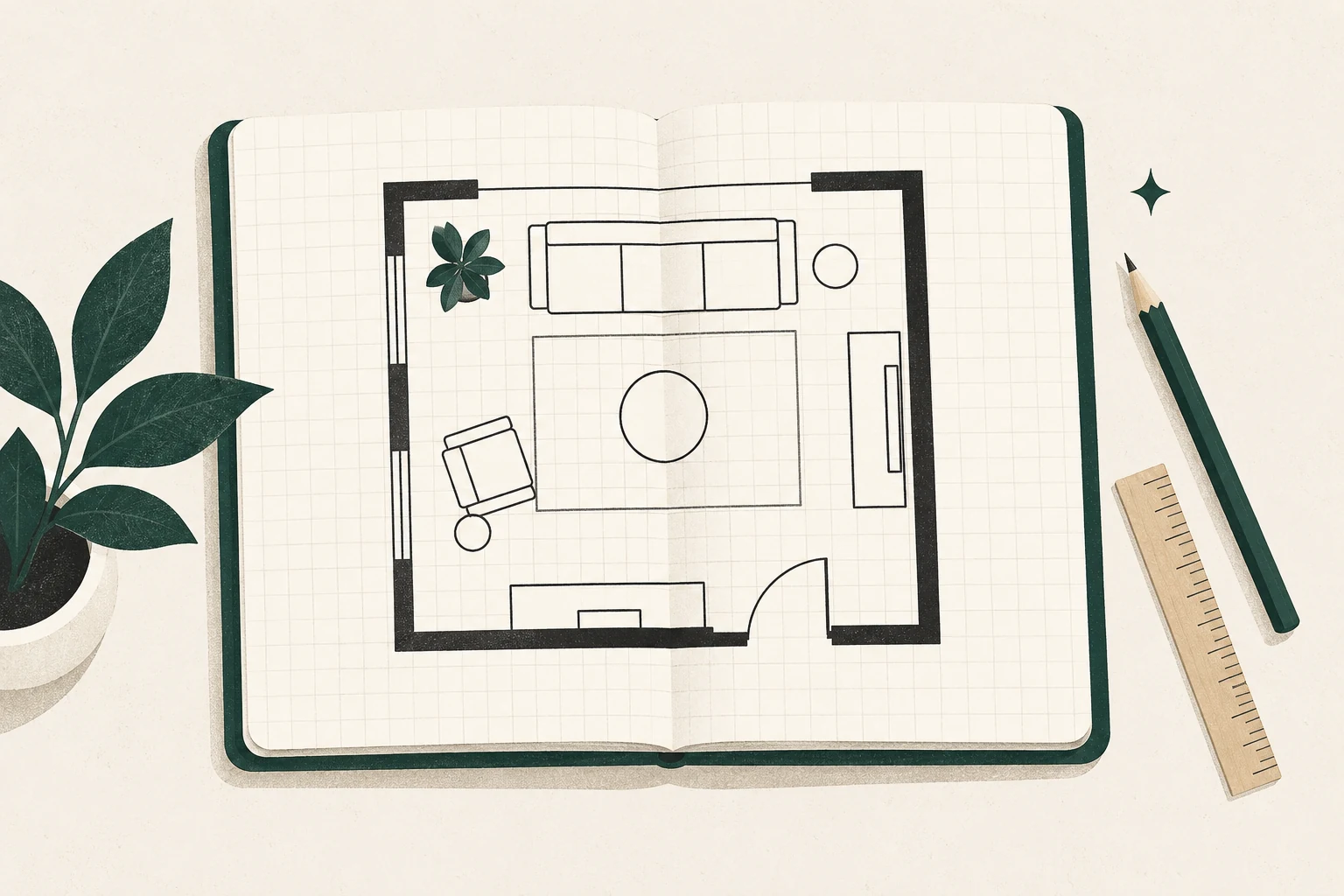
A good living room floor plan tool does not need to design the room for you. It needs to help you answer a specific question: Will this arrangement fit, leave a comfortable route, and support the way we actually use the room? For many one-room decisions, graph paper and movable furniture shapes are enough. Software becomes useful when you want faster revisions, dimension checks, a 3D preview, or a plan you can share.
Editorial and commercial note: This guide uses official documentation checked October 15, 2026. Feng Shui Living Space has no current affiliate relationship with RoomSketcher or PlanningWiz; every vendor link is an ordinary official link and earns no commission. We have not used test accounts, so the comparisons cover documented features, limits, and costs—not interface ease or performance. Any future paid link will be identified beside the recommendation.
The quick decision
Use paper when you are arranging one room, already know the furniture sizes, and mainly need to compare two or three layouts. Try a free planner when you want to make many revisions or see approximate 3D views. Consider paying only when a specific export, measurement, sharing, or presentation feature will save more time than it costs.
| Your decision | Start with | Why | Watch for |
|---|---|---|---|
| Can my existing furniture fit? | Scaled paper plan | Fast, private, no account | Scale errors if measurements are incomplete |
| Which of several arrangements protects the clearest route? | Paper cutouts or any accurate 2D planner | Easy side-by-side comparison | A pretty 3D view can distract from a poor plan |
| How might the room feel from eye level? | Planner with a 3D preview | Reveals massing and sightlines | It is a representation, not proof of daylight or comfort |
| Do I need a clean file for a household member or contractor? | Planner with the required export | Easier to share and annotate | Export quality and formats may depend on the plan |
| Do I need one room, once? | Free tier or paper | Avoids an unnecessary subscription | Check project and output limits before investing time |
The best tool is the least complicated one that resolves the uncertainty in front of you.
If your choice has narrowed to the two documented options covered here, compare RoomSketcher vs PlanningWiz for the same living-room task before opening an account.
Start with paper before software
Measure the room once, then keep one source plan. Record wall lengths, door and window positions, door swings, fireplace or radiator projections, and the footprint of every piece you may keep. Our step-by-step floor plan measuring guide includes a checklist and a no-account workflow.
Draw the room to scale and make separate paper shapes for the sofa, chairs, tables, media unit, shelves, and lamps. Move the pieces rather than redrawing the shell. Mark the main path from the entry to the next room, then add routes to the most-used seats and storage.
This paper stage has three advantages:
- It exposes missing measurements before you spend time learning software.
- It keeps the first question about use and circulation, not finishes.
- It gives you a reference for checking any digital plan you create later.
If the paper plan answers the question, stop there. A no-purchase solution is a successful planning result.
What a useful living room planner must do
Feature lists are long; room decisions are short. Evaluate a tool against the same modest task:
- Enter the room’s real dimensions.
- Place doors, windows, and fixed features in the correct positions.
- Add a sofa, two movable seats, a table, and the TV or other focal point.
- Save two arrangements with different circulation routes.
- Check sightlines and the space required to use doors, drawers, and reclining furniture.
- Export or share only if someone else needs the plan.
For this task, the essential capabilities are measured walls, adjustable furniture footprints, duplicate-or-save options, and an output you can understand later. A large furniture catalogue, decorative rendering, AI conversion, or professional branding may be useful, but none repairs a plan built from incomplete measurements.
A feng shui planning layer
Feng shui adds questions to the measured plan rather than replacing it. In varied traditions and contemporary practice, readers often consider how the room receives movement, whether key seating feels supported, whether people can see the entrance, and whether conversation or a screen dominates the arrangement. Treat these as observations to test, not promises of luck or wellbeing.
On each candidate plan, mark:
- the route qi—or ordinary movement—would take from the entrance;
- the main seat’s view of the doorway;
- the conversation group and its gaps;
- visual competition among the TV, fireplace, window, artwork, and entry;
- the smallest change that improves both use and ease.
The broader feng shui living room layout guide explains how to interpret those marks without turning them into rigid rules.
Choose a tool by the work you need done
Paper and movable templates: best for a private one-room decision
Paper wins on speed, privacy, and flexibility. Use a consistent scale, label every measurement outside the room shape, and cut furniture templates from a second sheet. Photograph each promising arrangement from directly above so you can compare them without losing the pieces.
Its limitation is visualization. A plan view does not automatically show the height of a media unit, how a window treatment overlaps a radiator, or whether a tall chair interrupts a view. Add a simple wall elevation when height matters.
RoomSketcher: plausible when output and 3D views matter
RoomSketcher’s official site describes computer and tablet apps for drawing measured plans, furnishing rooms, and producing selected 2D and 3D outputs. As checked on October 15, 2026, the official Free page says a free account includes up to two projects, measured room drawing, a limited output path, and 3D Snapshots. The official pricing page lists Pro at US$24 monthly or US$144 annually and Team at US$70 monthly or US$420 annually before tax. Output and project actions can also use Credits, so the subscription price is not the entire cost model.
That makes RoomSketcher worth investigating if you want a cleaner presentation, repeated 2D output, or 3D comparison—not simply because it has more features. Read the detailed RoomSketcher review for living room layouts before paying. Prices and entitlements can change; verify the current official pricing and Credit table at checkout.
PlanningWiz: plausible when browser-based planning and multiple saved plans matter
PlanningWiz’s official site presents an online 2D and 3D planner. Its subscription explainer says a free account can draw, decorate, and save five projects; Grow and Pro add unlimited projects and stronger output options, while Pro adds blueprint-background upload and branding features.
Two official PlanningWiz help pages currently conflict about free export: the subscription page says printing, exporting, and emailing are restricted on Free, while the export guide lists low-resolution Free exports. Treat that as an unresolved pre-purchase question. The company also does not show current Grow or Pro dollar prices on the public subscription explainer we reviewed. Our research-based PlanningWiz review separates what is verified from what still needs confirmation.
Other planners: use the same test
Do not assume the most prominent search result is the best fit. For any planner, check the same items before entering a detailed floor plan:
- Can you enter exact wall, opening, and furniture dimensions?
- Can you create at least two variants without rebuilding the room?
- Which outputs are included at the free level?
- Does an upgrade apply to one project, one month, or a continuing subscription?
- What happens to your plans if you cancel or delete the account?
- Can a shared link expose more room detail than intended?
Protect useful information without oversharing
A living room plan can reveal doors, windows, adjacent rooms, and patterns of use. It may not feel sensitive, but it can contain more household information than a simple decorating sketch.
For a tool test, use only what you need. Leave out names, alarm locations, access codes, exact addresses, security devices, and unrelated floors. Before uploading a blueprint or emailing a share link, read the current privacy and sharing settings. A simplified room shell is usually enough to compare furniture.
RoomSketcher says projects are cloud-stored, while PlanningWiz’s privacy policy says it may collect floor-plan records and stores personal data in the EU. Neither point makes a service inherently unsuitable; both are reasons to decide what detail is necessary.
How we evaluate and disclose recommendations
These evaluations are desk research rather than product tests. We review vendor pricing, features, help documentation, privacy terms, and commercial conditions against one fixed living-room task. We do not claim that an interface is easy, fast, or reliable without documented account use.
Commercial relationships are considered separately from reader fit. RoomSketcher currently advertises a one-time commission on a referred subscriber’s first payment. PlanningWiz advertises a recurring commission while the customer continues paying during the partnership. Those structures may create different incentives, so neither commission model decides the recommendation. A paid link, if one is eventually added, must be identified close to the recommendation and marked appropriately.
A calm 20-minute starting plan
If you are unsure where to begin, do this before opening any app:
- Write the room’s next important use: conversation, family viewing, reading, play, or mixed use.
- Measure the shell, openings, and the furniture you expect to keep.
- Draw one current plan and mark the route that feels most awkward.
- Move only one large piece on paper.
- Check whether that change improves movement, doorway visibility, and the intended activity.
If it does, try the arrangement in the room before buying or subscribing. A plan is a low-cost experiment, not a command.
Frequently asked questions
Is there a free living room floor plan tool?
Yes. Paper is completely free, and several digital planners offer free accounts. Free digital tiers often limit projects, exports, catalogue access, or high-quality output, so check the exact feature you need rather than the word “free.”
Do I need 3D to plan furniture placement?
Usually not. A measured 2D plan is better for testing fit and movement. A 3D view can help with height, massing, and sightlines after the 2D arrangement works.
Should I upload my whole-home blueprint?
Not for a one-room furniture decision. A simplified living room shell with the relevant openings and fixed features is normally enough and reveals less information.
Can software tell me whether a layout has good feng shui?
Software can record dimensions and show arrangements. It cannot decide how supported a seat feels, which traditions you follow, or how your household uses the room. Use the plan to make observations and test changes in the real space.